

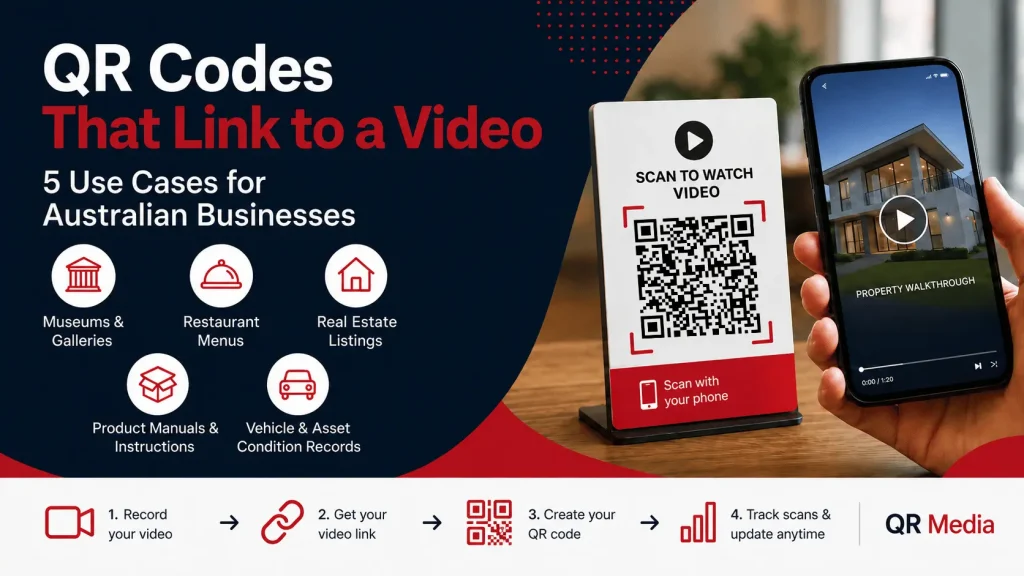
A QR code can point to almost any online destination. That means a QR code can also point directly to a video, screen recording, product demo or short instructional walkthrough.
It sounds simple, but many businesses still use QR codes mainly for menus, PDF downloads, contact pages or basic website links. Those use cases are still valuable, but video opens up a much more practical way to explain, demonstrate and document information.
In the past, this workflow often meant uploading a video to YouTube, setting privacy options, dealing with ads or suggested videos, and then linking the QR code to that page.
Today, the process can be much faster. A free screen recording tool can generate a shareable video link shortly after the recording is finished. That link can then be used as the destination for a QR code created in QR Media.
For businesses, this creates a simple workflow:
Record the video, copy the link, create the QR code, and place it where customers, staff or visitors need it.
Here are five practical ways Australian businesses can use QR codes that link to videos.
1. Museum and gallery exhibit labels
A printed exhibit label has limited space. It might include the artist, title, year, materials and a short explanation, but it cannot always tell the full story.
A QR code beside the label can link to a short curator video, artist explanation or narrated exhibit walkthrough.
For example, the video could explain:
- The background of the artwork
- How the piece was created
- Why certain materials were used
- Related works in the same collection
- Historical or cultural context
- Conservation notes or behind-the-scenes details
This gives visitors a richer experience without overcrowding the physical signage.
The advantage of using a dynamic QR code is that the destination can be updated later. If the gallery records a better video, changes the exhibit, or wants to rotate seasonal content, the QR code does not need to be reprinted.
2. Restaurant menus with preparation or tasting videos
Restaurants, cafes and bars can also use QR codes to create a more engaging customer experience.
A menu can describe a dish, but a short video can show the chef plating it, explain the ingredients, or highlight why a particular wine, cocktail or coffee pairing works.
This is especially useful for:
- Tasting menus
- Wine pairings
- Chef specials
- Cocktail lists
- High-value dishes
- Seasonal menu items
- Behind-the-scenes kitchen content
A short video can help customers understand what makes an item special before they order.
For restaurants with printed menus, table signage or takeaway packaging, a QR code can turn a static item into a more interactive experience. If the video changes, the QR code destination can be updated without reprinting the menu or signage.
3. Real estate sign QR codes
Real estate agents already use QR codes on brochures, window cards and “For Sale” signs, but many still point those codes to a property listing page only.
That is useful, but a QR code that links to a short property walkthrough can be even more powerful.
Someone walking or driving past a property can scan the QR code and immediately watch a video tour. They can see the layout, key rooms, outdoor spaces and standout features without needing to book an inspection first.
This can help qualify interest earlier.
For example, a real estate QR code could link to:
- A two-minute property walkthrough
- A short agent introduction
- Auction information
- Local area highlights
- Renovation notes
- A building or floor plan explanation
With QR Media analytics, businesses can also track scan activity, including how often the code is being scanned and when engagement is happening.
4. Product manuals and assembly instructions
Instruction manuals are often ignored, misplaced or difficult to follow.
For products that require assembly, setup or installation, a QR code that links to a short video can make the customer experience much smoother.
This is useful for:
- Flat-pack furniture
- Kitchen fittings
- Hardware products
- Fitness equipment
- Electronics
- Retail displays
- DIY kits
- Maintenance instructions
- Safety instructions
Instead of relying only on a printed manual, the business can place a QR code on the box, product label or instruction sheet.
The customer scans the code and watches the setup process step by step.
This can reduce support calls, improve customer satisfaction and make the product feel easier to use. It also gives the business flexibility to update the video later if the instructions change or if customers commonly get stuck at a particular step.
5. Vehicle and asset condition records
Video-linked QR codes can also be useful for documentation and proof.
Rental car companies, equipment hire businesses, fleet operators and property managers often need to record the condition of an asset at a specific point in time.
A short walk-around video can help document:
- Existing damage
- Vehicle condition
- Equipment condition
- Site condition
- Returned goods
- Rental handovers
- Maintenance status
- Before-and-after project work
A QR code can then link to the video record from a job sheet, rental agreement, asset tag or internal document.
For example, an equipment hire business could record a short video when a machine is collected and another when it is returned. The QR code makes it easier for staff or customers to access the relevant record later.
This can help reduce disputes and create a clearer history of the asset.
The workflow in practice
Two tools are doing the work.
The first is a way to create the video. This might be a phone camera, webcam recorder or a browser-based screen recorder. For quick demos, walkthroughs or screen-based instructions, a free screen recording tool can be useful because it allows the user to create a shareable recording without a complicated upload process.
The second is QR Media, which is used to create and manage the QR code.
A typical workflow looks like this:
- Record the video or screen recording.
- Copy the public video link.
- Create a dynamic QR code in QR Media.
- Use the video link as the QR code destination.
- Download and place the QR code on signage, packaging, printed material or internal documents.
- Track scans and update the destination later if needed.
The main benefit of using a dynamic QR code is flexibility. If the video needs to be replaced, the QR code destination can be changed without reprinting the physical code.
That matters for businesses using QR codes on packaging, signage, menus, brochures, asset tags or printed documents.
Why video QR codes are becoming more useful
Static PDFs, web pages and forms still have their place. They are useful for compliance documents, technical specifications, menus, policies and long-form information.
But when someone needs to quickly understand how something works, what something looks like, or what action to take next, video can be much more effective.
A short video can show what a page of text struggles to explain.
For customers, that can mean fewer steps and less confusion. For staff, it can mean clearer instructions and faster training. For businesses, it can mean fewer support requests, better engagement and more measurable interactions.
By combining video links with dynamic QR codes, businesses can create practical, updateable assets that work across print, packaging, signage and digital channels.
Create QR codes that link to videos
QR Media helps businesses create dynamic QR codes that can link to videos, forms, websites, menus, landing pages, product instructions and more.
Because the QR code destination can be updated later, businesses can keep using the same printed code even when the video or campaign changes.
If your business wants to use QR codes for video instructions, product demos, asset records or customer engagement, QR Media can help you create, manage and track your codes from one platform.